Finds every file
Matches by bundle identifier, app groups from the app’s entitlements, embedded helpers and extensions, and the background jobs an app installs.
Dragging an app to the Trash leaves its settings, caches and containers behind in your Library. Uninstaller finds every file an app put on your Mac, shows you what each one is, and moves the lot to the Trash, where you can still change your mind.
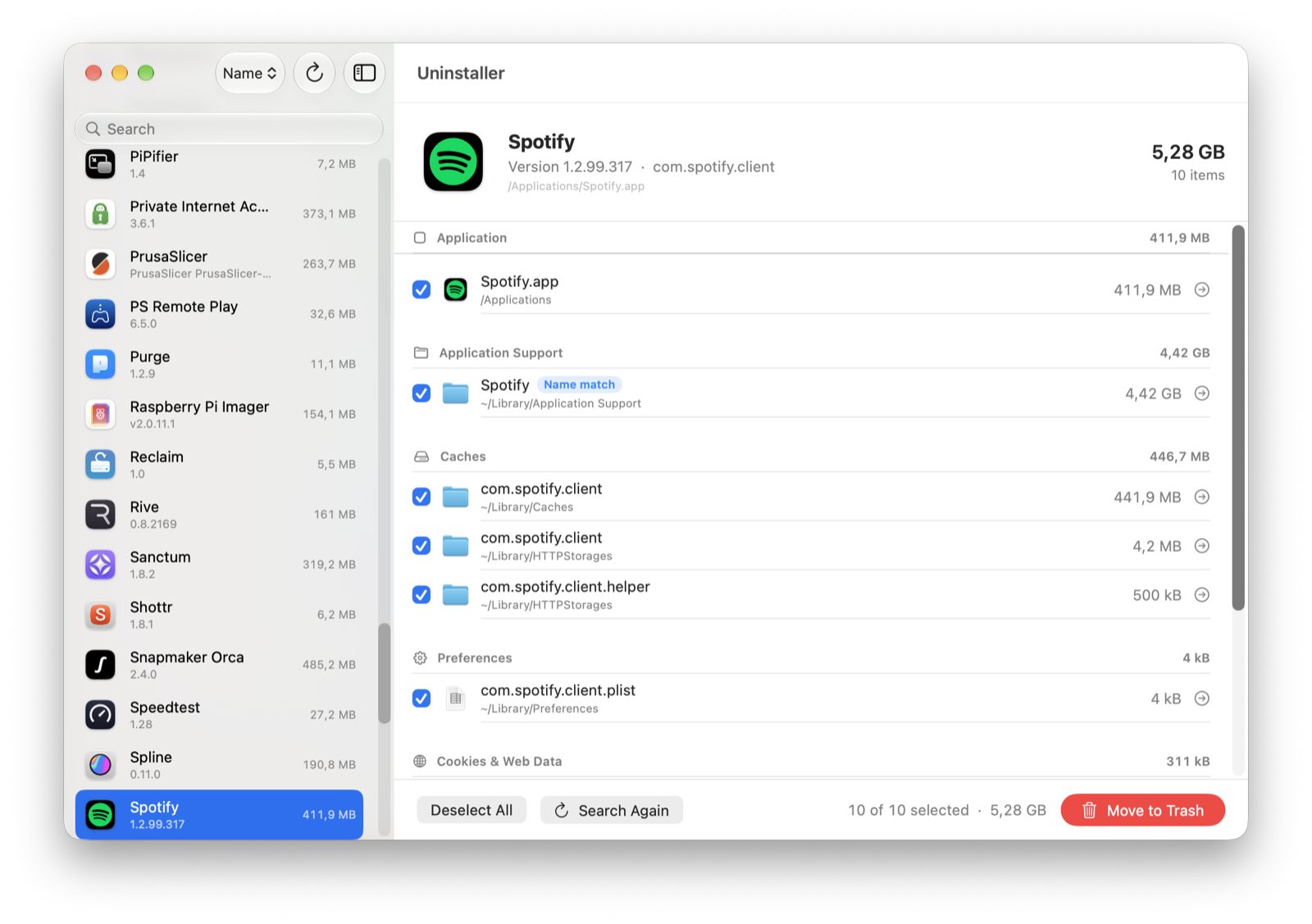
Uninstaller looks in every place macOS apps write to, in your own Library and in the shared system folders.
~/Library/ContainersEverything a sandboxed app stores, often gigabytes.~/Library/Group ContainersData an app shares with its widgets and extensions.~/Library/Application SupportDatabases, downloads, models and offline files.~/Library/CachesCached images, web data and thumbnails.~/Library/PreferencesSettings files, one .plist per app and helper.~/Library/Saved Application StateWindow positions and open documents./Library/LaunchAgents /Library/LaunchDaemonsBackground jobs that keep starting after the app is gone./Library/PrivilegedHelperToolsHelpers that run as root, installed by VPNs, drivers and updaters./private/var/db/receiptsInstaller receipts from .pkg installs./private/var/folders/…/CYour per-user temporary caches.Every file is listed by category with its size and location. Nothing leaves your Mac until you press Move to Trash.
Matches by bundle identifier, app groups from the app’s entitlements, embedded helpers and extensions, and the background jobs an app installs.
Word, Excel and PowerPoint share folders. Files another installed app uses are marked Shared and left unticked, so removing one app never breaks another.
Nothing is deleted outright. Put things back from the Trash until you empty it, the same way you would in Finder.
Launch agents and daemons are unloaded before their files move, and running apps are asked to quit first.
Files owned by macOS, like helpers in /Library, are marked with a lock. macOS asks for your password once for all of them.
Pick an app from the list, drop one on the window or the Dock icon, or press ⌘O. Apps in Downloads work too.
Leftovers lists files named after apps that are no longer on your Mac. Apps in Downloads, on the Desktop or inside other apps still count as installed, so their files stay put.
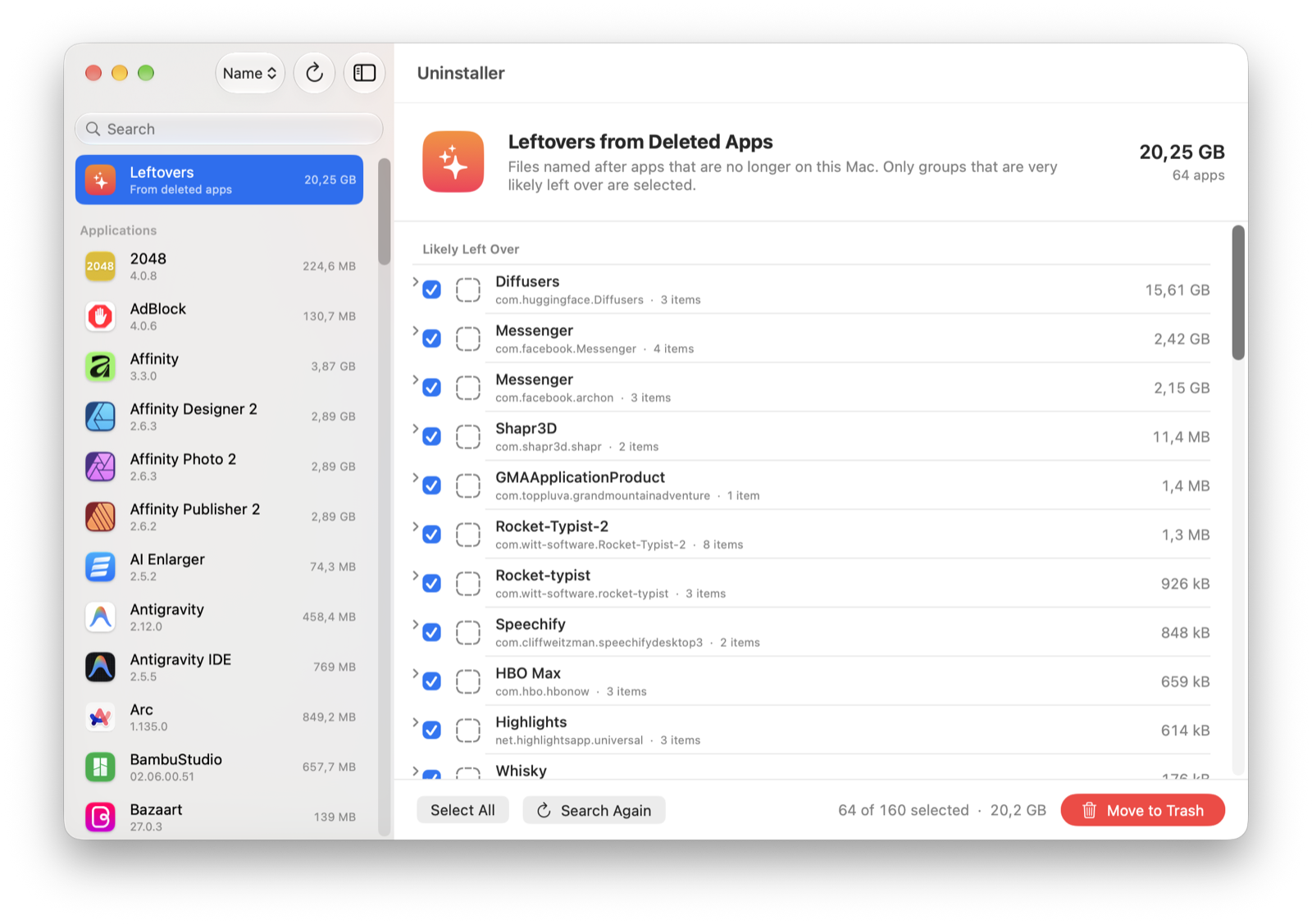
An uninstaller has one job it must never get wrong. These rules are built in and cannot be switched off.
Free for every Mac on macOS 15 or later. Pick your chip, unzip it, and move it to Applications.
M1, M2, M3, M4 and later
Download .zip · 1.8 MB Unzip, then drag Uninstaller to ApplicationsNot sure which one? Open the Apple menu and choose About This Mac. It says “Chip: Apple M…” or “Processor: Intel”.

For more of my projects, click the logo